SmartGym is out with a massive update today that introduces AI-powered workout creation, management, deeper Siri integration, and several features that leverage the new possibilities of iOS 27, iPadOS, and watchOS 27. Here are the details.
I’ve written before about how much I like using SmartGym to track my exercise routine.
SmartGym is an Apple Design Award winner, and it doesn’t take long to see why. Developer Matt Abras is constantly changing, updating, and tweaking the app to make it easier and more streamlined to manage, track, and log gym sessions, improving on what has long been one of the most mature and useful gym-tracking apps on the App Store.
Today, SmartGym is getting one of its biggest updates ever. SmartGym 8 introduces SmartGym Intelligence, which is, in essence, the app’s own take on Private Cloud Compute.
SmartGym introduces its own Private Cloud Compute alternative
As Abras explains, SmartGym is currently not eligible to use Apple’s Private Cloud Compute through the new Foundation Models framework. So, he decided to build his own.
SmartGym Intelligence is private by design. Every request sent to a model is anonymous and disconnected from the user’s identity. Prompts and responses are never logged, cached, or retained by SmartGym.
SmartGym 8 relies on Apple’s new Language Model APIs to extend the Foundation Models framework to frontier models running on SmartGym’s own private cloud infrastructure, while keeping requests anonymous and disconnected from the user’s identity.
SmartGym never connects directly to an AI lab. The labs behind these frontier models never receive users’ prompts, and nothing users submit is used to train their models.
With today’s update, users can now create workout routines with natural language. This means they can type something like “create a push-pull-legs workout with 10 exercises per day. Avoid bench press. Include 2 warm-up exercises per day,” and the app’s new framework will handle the rest.
Once the workout is created, users can send new prompts such as “move leg day to Friday,” “remove the barbell squat,” or “make Wednesday a rest day,” to tweak it even further.
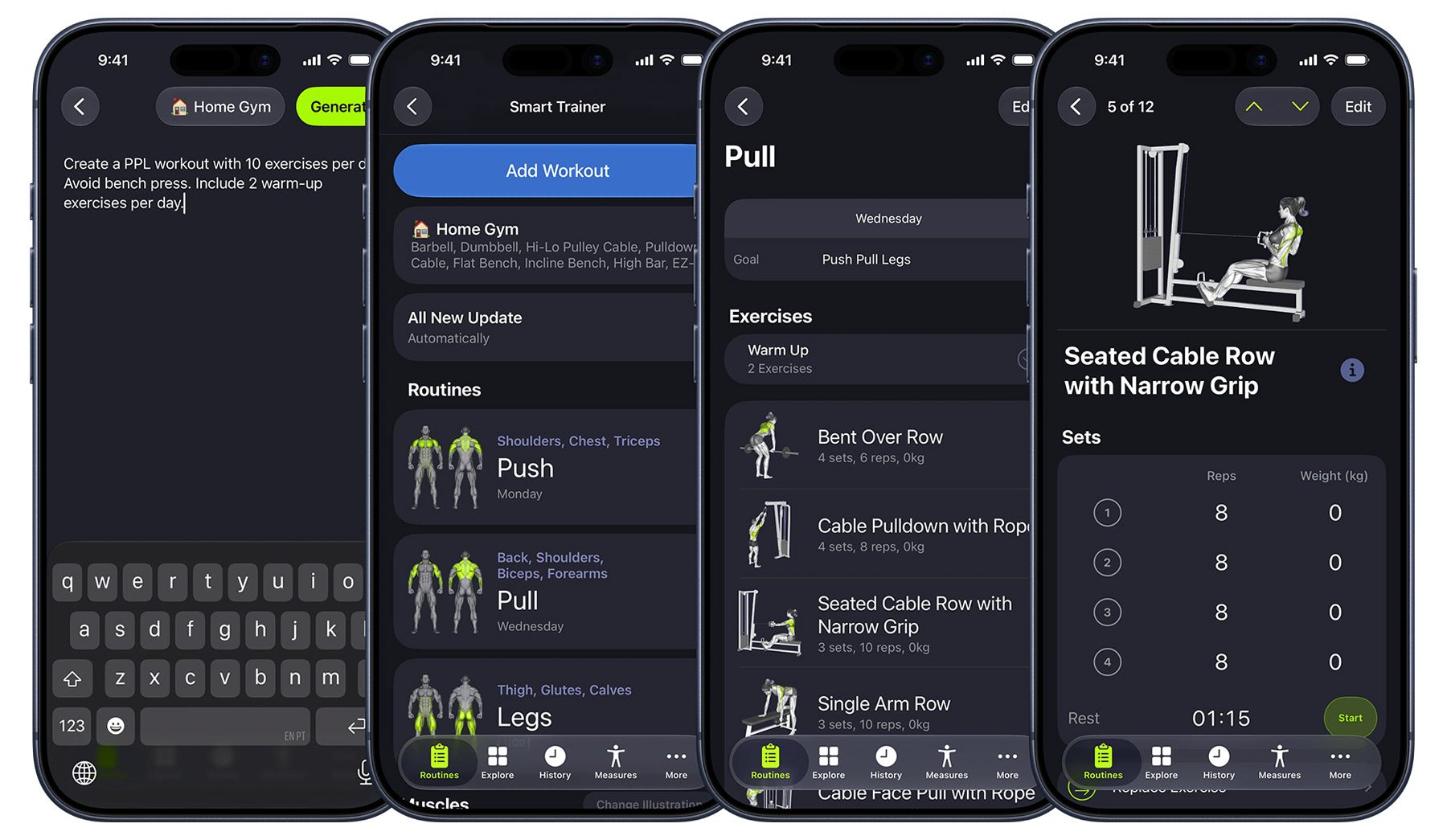
To try the new SmartGym Intelligence, users can go to the Routines tab in SmartGym 8 on iPhone and iPad, tap the + button, and type in what they need. On the Apple Watch, they can just open the app, scroll down down on the main screen, tap “Add Workout”, choose “just say it,” and describe what they want.
SmartGym + Siri AI
SmartGym 8 also leverages the new Siri AI, introduced in today’s 2027 OS updates. Here’s Abras:
SmartGym now integrates more deeply with Siri, making routines, exercises, equipment, muscle groups, schedules, and other training information accessible through natural voice requests. Siri can surface relevant SmartGym information directly and take you to the corresponding content when needed.
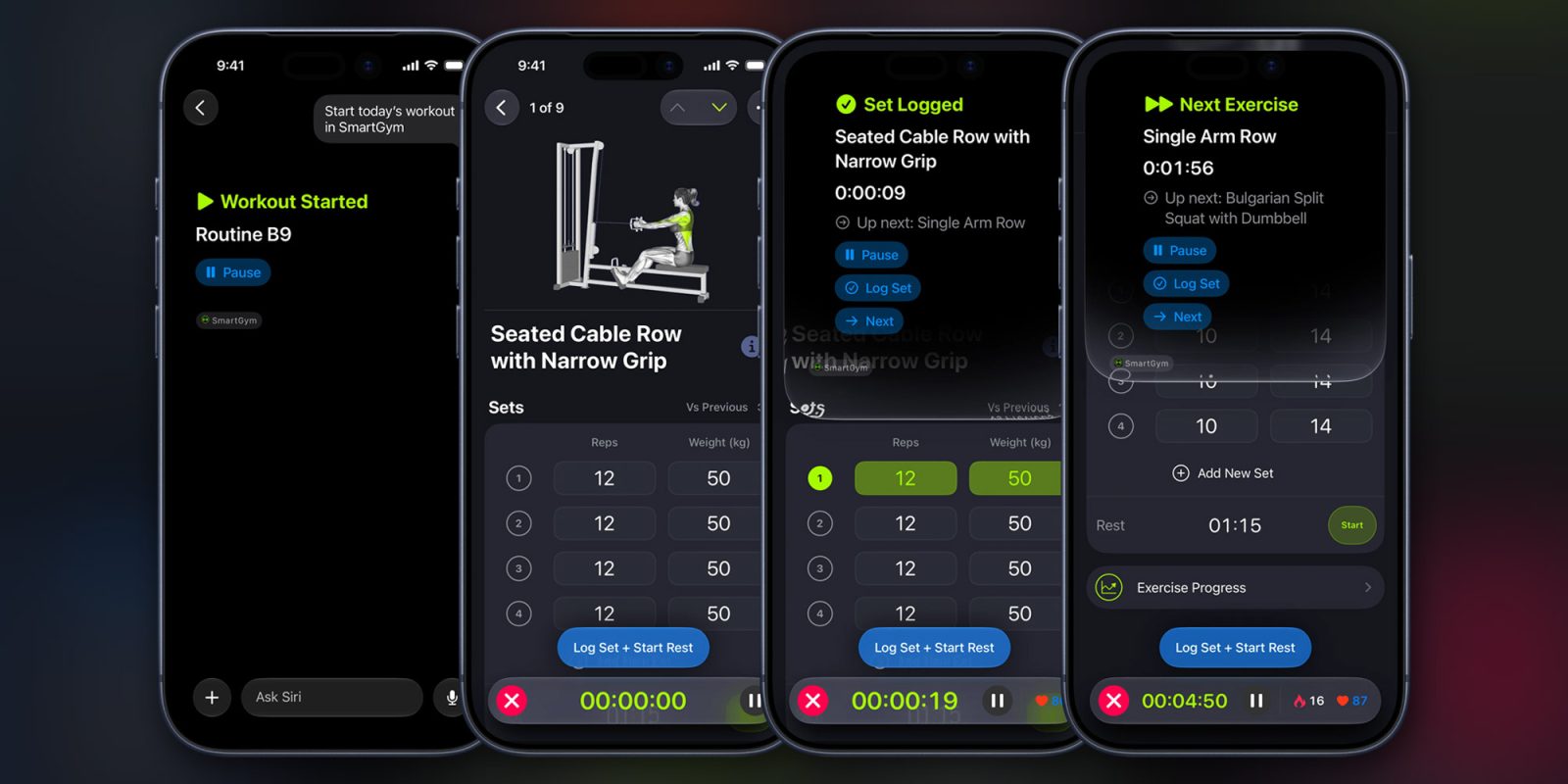
Users can now also start SmartGym workout sessions directly from Siri, in addition to controlling an active workout with commands such as “Next exercise in SmartGym,” or “Log set in SmartGym.”
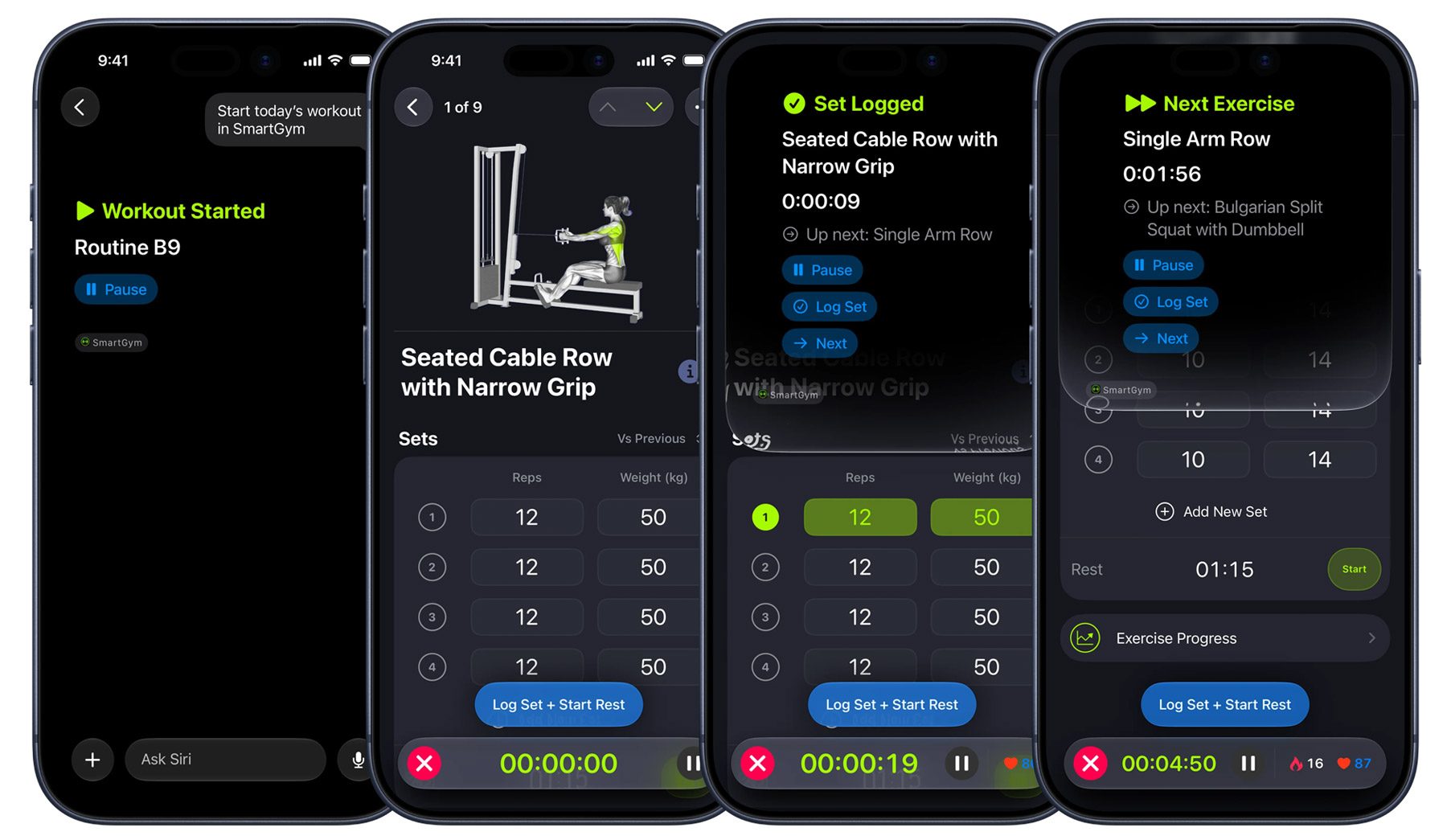
With SmartGym’s data accessible to Siri, users can also ask questions such as “Which routines do I have in SmartGym this week?” or “Show me my dumbbell workouts in SmartGym,” and the app’s integration will not only surface the relevant information but also provide rich visual results right from the Siri interface.
This integration also works for specific session information, such as “Show my Heart Rates in SmartGym,” and even for exercise creation.
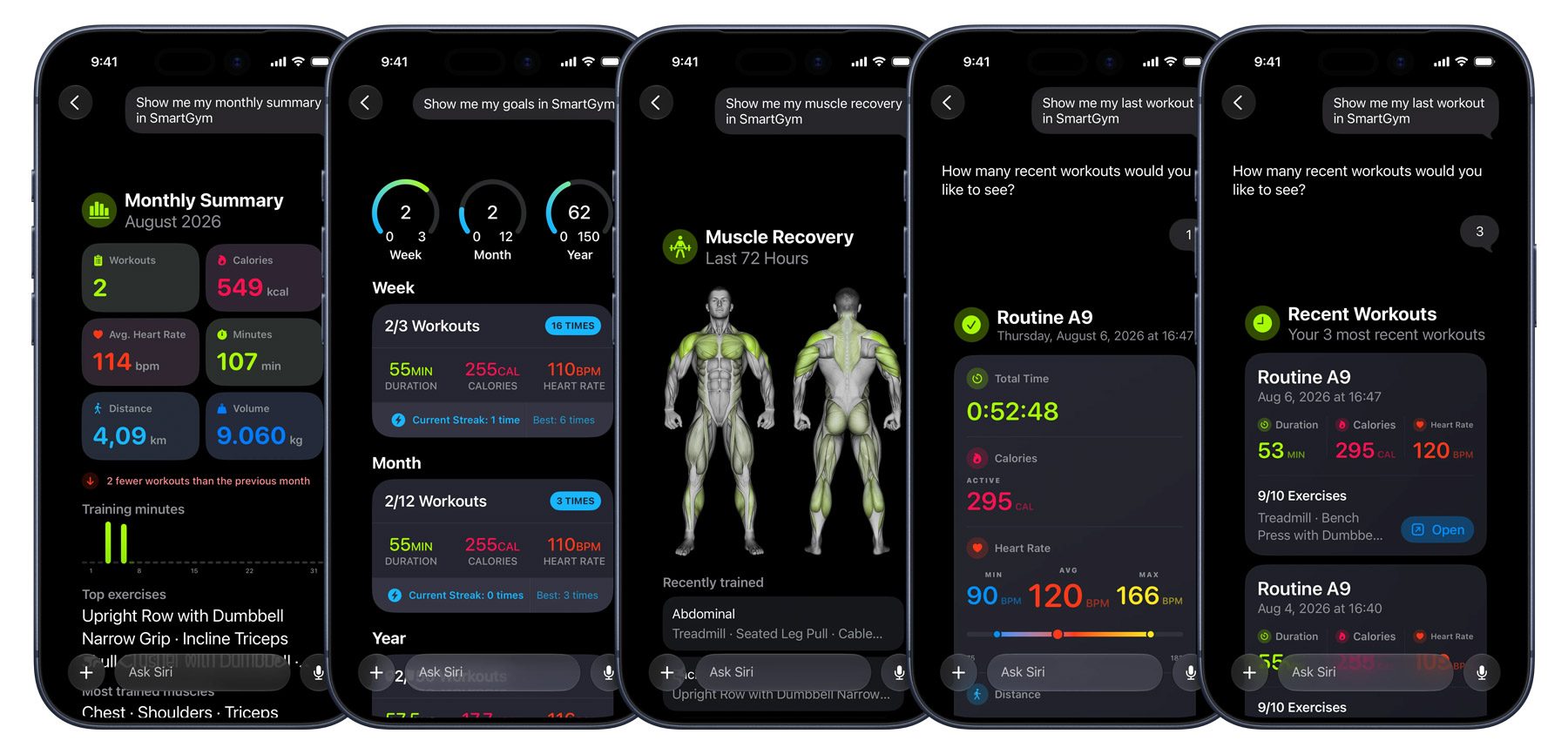
Users can also use the new Siri AI to create entirely new sessions by typing in or dictating a workout plan in natural language. Then, Siri AI and SmartGym will handle the rest, creating and organizing a new training routine based on the prompt.
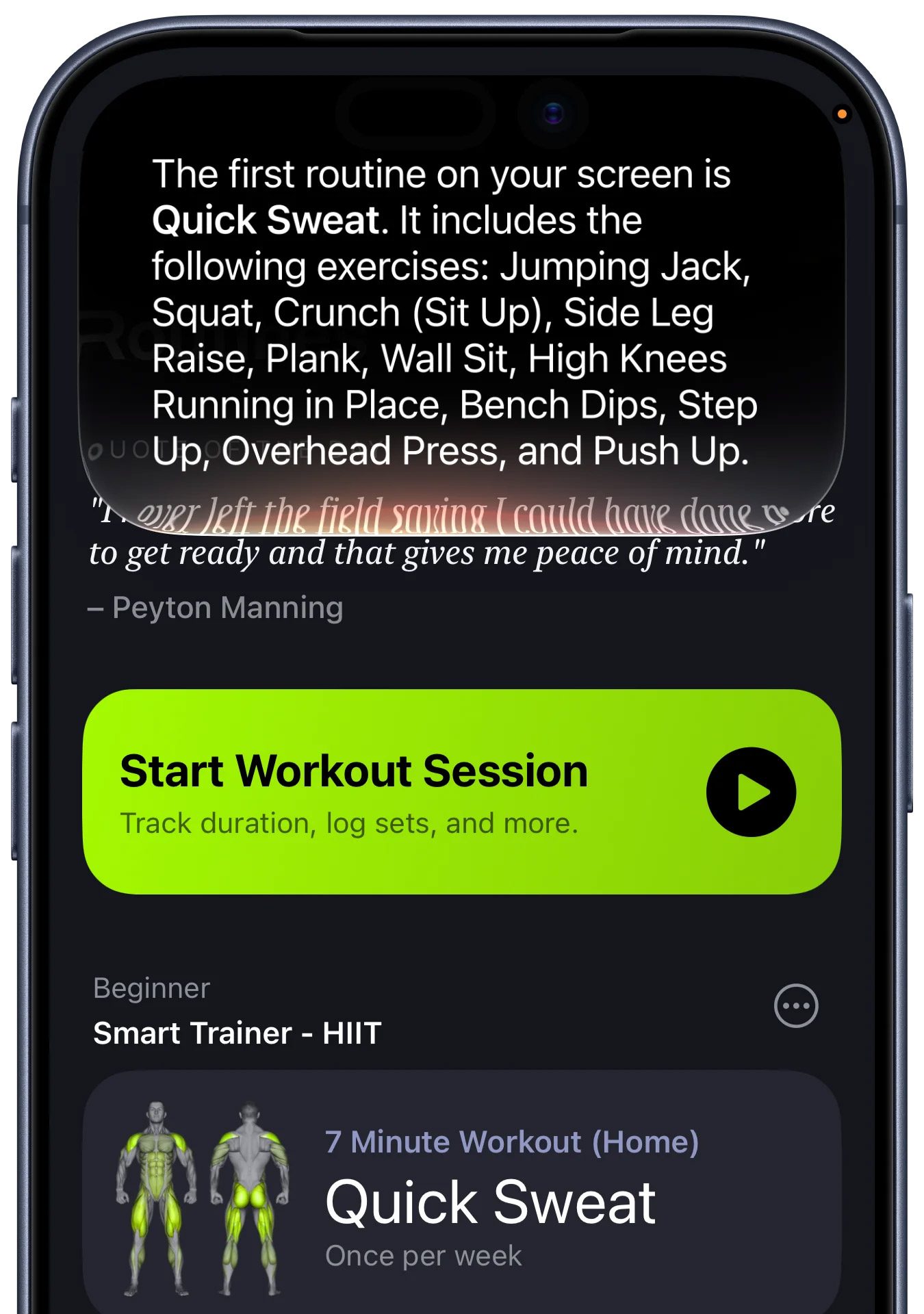
Finally, SmartGym 8 also leverages Siri’s new on-screen awareness feature, which can be really helpful during gym sessions. Users can simply ask Siri to identify something on the screen, answer questions about it, or “Open the third routine on the screen,” and they can jump in without touching their device. Users can also start from an image, which is great for when they receive a written plan from their personal trainers.
Other tidbits
There’s plenty more in SmartGym 8. That includes:
- Exercise Questions with images: SmartGym can now feed exercise execution images into Apple’s on-device Foundation Models to provide better and more descriptive answers about individual movements.
- Resizable UI: The app’s interface now adapts more dynamically across different window sizes, orientations, and display shapes, getting the app ready for the new iPhone Duo.
- More Liquid Glass: SmartGym has expanded its Liquid Glass design across more parts of the app, including its segmented controls, muscle group picker, alerts, and duration timer.
SmartGym is free to download on the App Store and offers a wide variety of subscription options.
To learn more about the app, follow this link.
Worth checking out on Amazon
FTC: We use income earning auto affiliate links. More.